Audit log
Collector keeps an append-only audit trail of every money- and security-sensitive action: who did it, what it affected, and when. Entries are written in the same transaction as the action itself — if an action fails and rolls back, nothing is logged — and they can never be edited or deleted from the app.
What gets logged
| Area | Actions |
|---|---|
| Payments | recorded (offline and online), import batch reversed |
| Expenses | recorded, edited, approved, rejected, voided, deleted; categories created/updated/deleted |
| Members | registered, updated, deactivated, portal access changed, bulk imports |
| Security | roles created/updated/deleted, users created/updated/deleted |
| Settings | organization settings changes (currency, fiscal year, SMTP, SMS, Paystack keys, registration fee) |
Each entry records the actor (the signed-in username, or system for
scheduled jobs), the action, the affected record, a human-readable
summary, and any decision note (e.g. why an expense was voided).
Viewing the trail
The Audit log page (sidebar) shows the trail newest-first, filterable by actor, action, record type, date range, or free text over the actor and summary. It requires the view audit log permission — grant it to an Auditor (view-only) role so your audit committee can inspect the books without any edit rights.
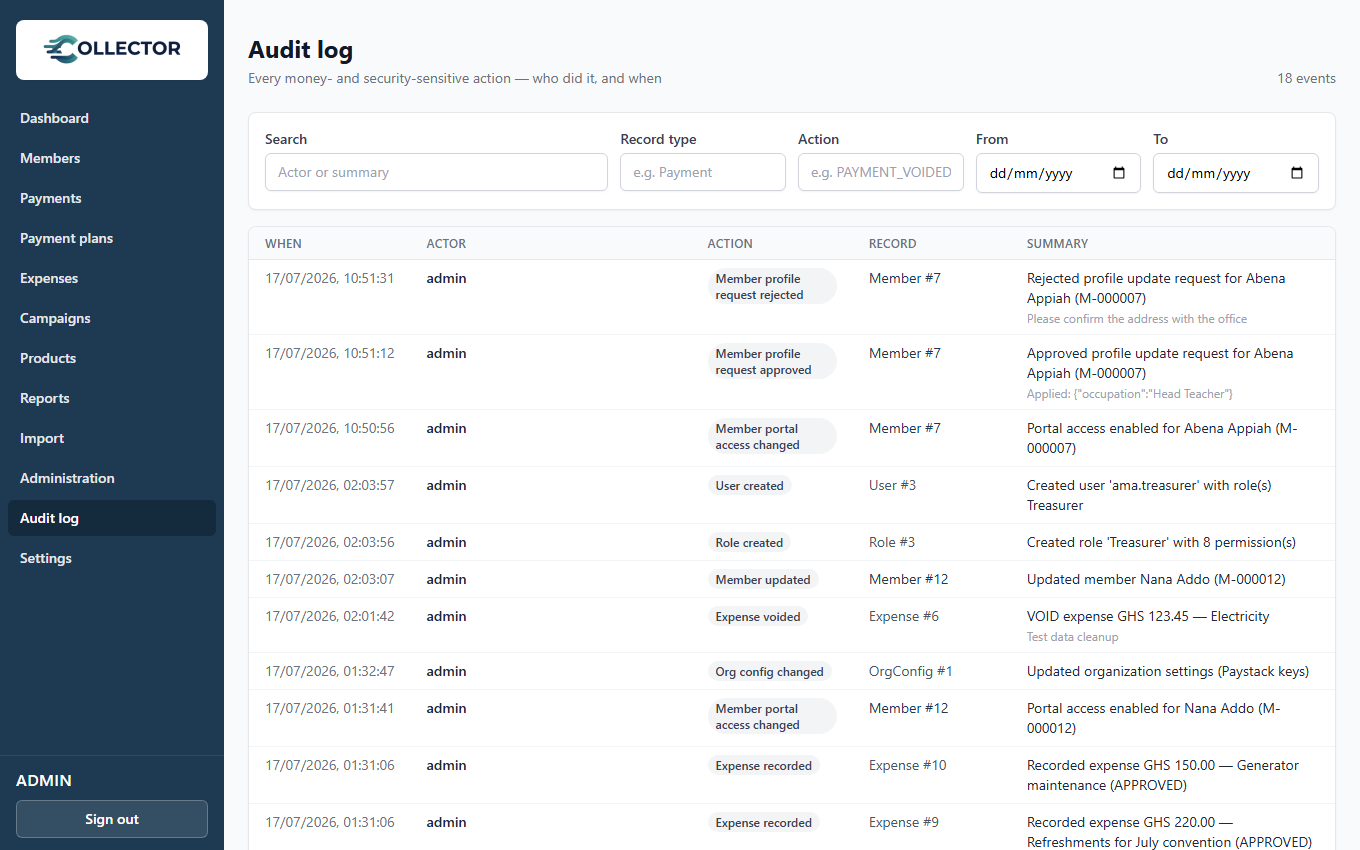
Audit capture happens on every plan — the trail is always being written. The audit log viewer (this page and its API) is available on Pro and Enterprise; on lower plans the history is preserved and unlocks on upgrade.
Filter by record type Expense (or open the entry from the list) to see the
full history of a single record — every decision on it, in order, with who
and when.
Row-level attribution
Independently of the audit log, every record also carries created/updated timestamps and the username that last touched it, so exports and database inspections retain attribution too.