Payment plans
When a member falls badly behind — eight months of dues, say — a treasurer usually negotiates a way back: "pay GHS 50 a month until it's cleared." Payment plans formalize that arrangement and point the reminder engine at it, turning your arrears list from a shame list into a recovery tool.
A plan doesn't change how money is recorded or allocated — payments still apply to the oldest debt first. It's an agreement layer on top: a schedule to track against, and a gentler, plan-based conversation with the member.
The recovery worklist
Payment plans in the sidebar lists every active plan across all members — who's on track, who has slipped, and how much is still outstanding.
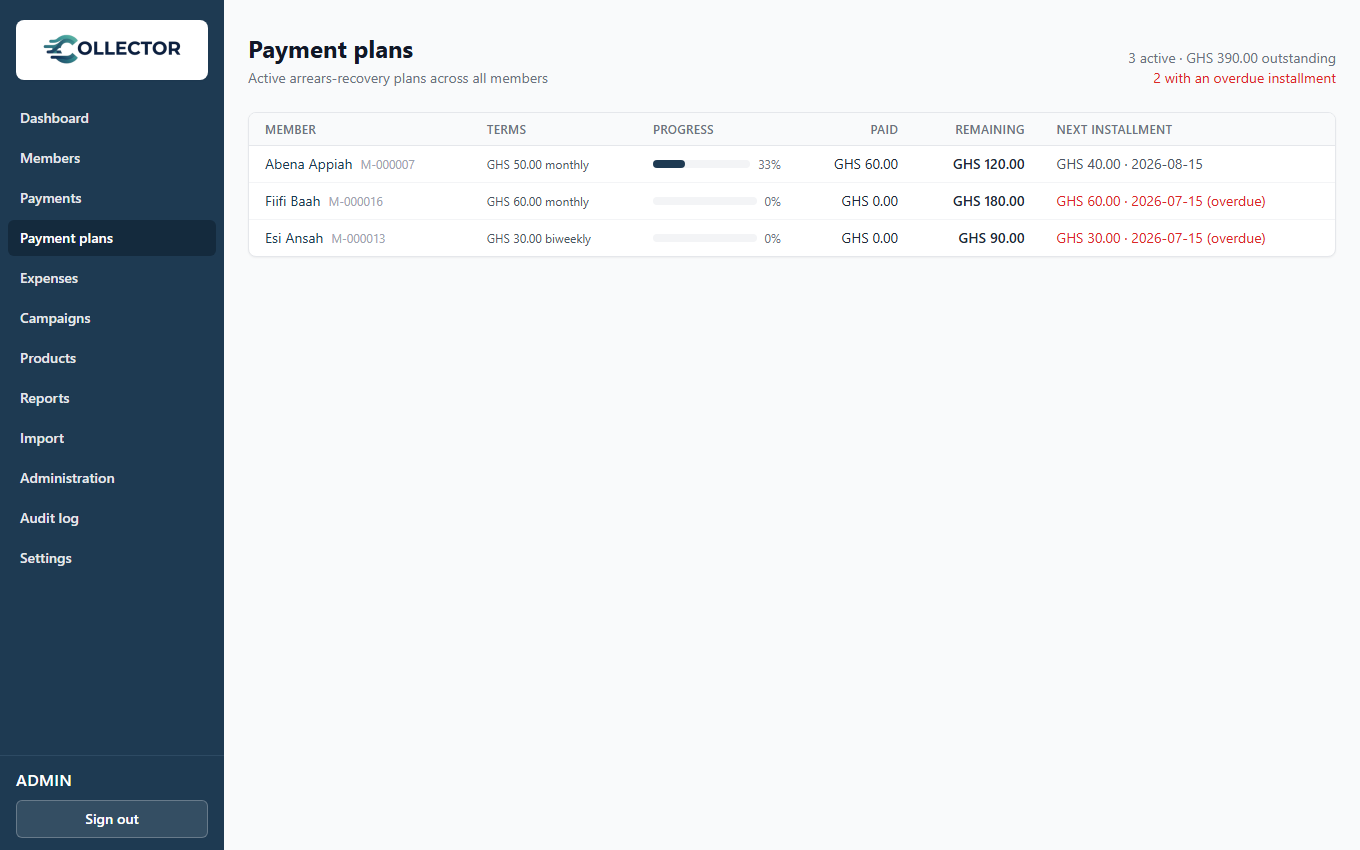
Members on an active plan are also flagged with a small Payment plan badge in the Members list and the dashboard's Top members by arrears widget, so you can tell at a glance who is already in a recovery arrangement without opening their page.
Setting up a plan
Open the member (from the worklist or the Members page). If they have arrears and no active plan, a Set up payment plan button appears in the Payment plan section.
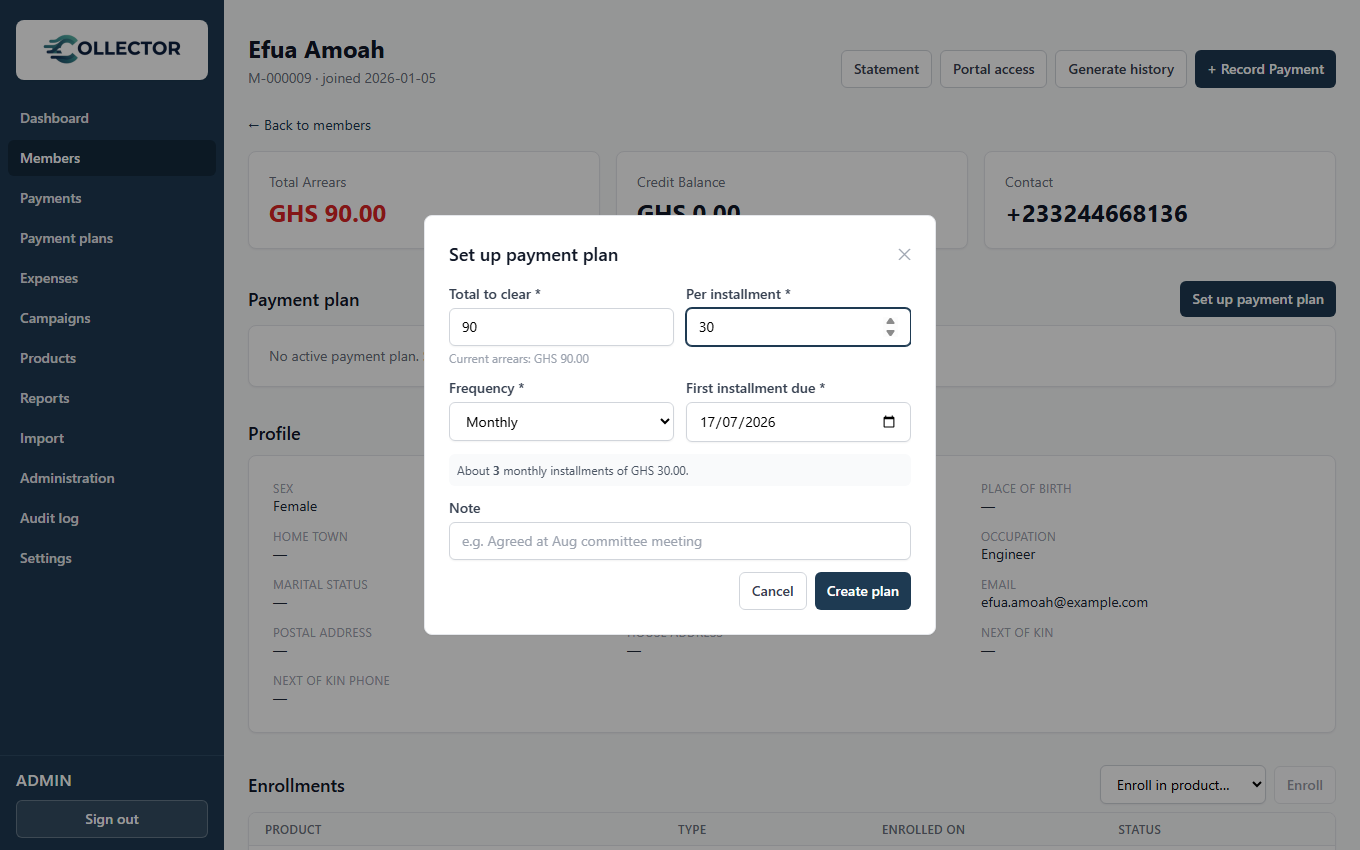
- Total to clear — pre-filled with the member's current arrears.
- Per installment — the negotiated amount (e.g. GHS 50).
- Frequency — weekly, every two weeks, monthly, or quarterly.
- First installment due — when the schedule starts.
Collector generates the installment schedule automatically; the last installment carries any remainder so the amounts sum exactly to the total. A member can have one active plan at a time.
Tracking progress
The member's Payment plan section shows the live picture: how much they've paid toward the plan, what's remaining, the next installment, and the full schedule with each installment marked Paid, Partial, Due, or Overdue.
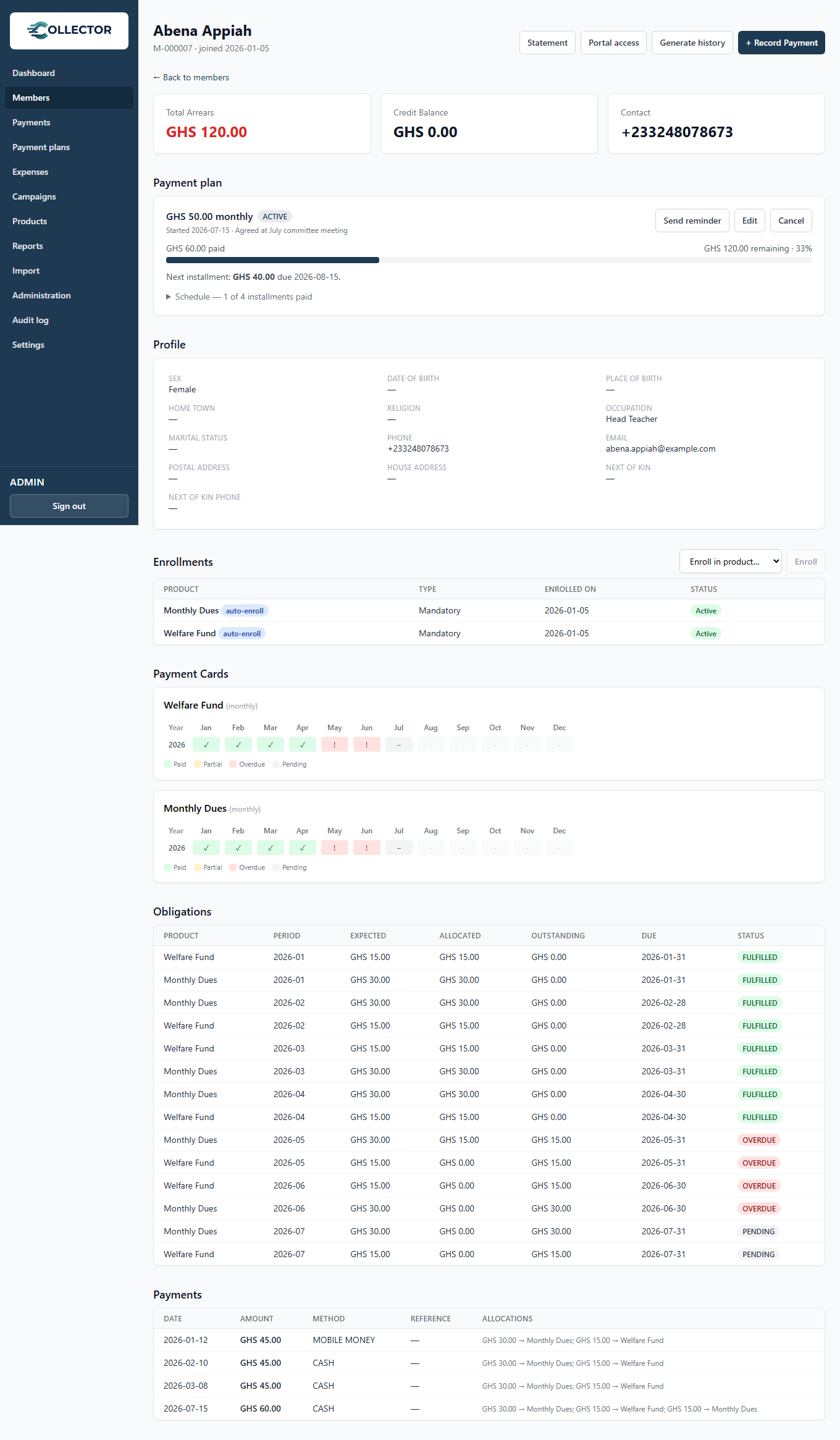
Progress is measured from the member's payments since the plan started — there is nothing to reconcile by hand. Because payments allocate oldest-debt-first, every cedi the member pays counts toward clearing the arrears the plan covers. When the total is paid off, the plan is ready to mark complete (and the nightly reminder sweep completes it automatically).
Reminders — the recovery part
This is what makes a plan different from just watching the arrears list:
- Overdue dunning is suppressed. While a member is on an active plan, the per-obligation overdue reminders stop. Their obligations are still recorded as overdue for accounting accuracy — but the member isn't hit with a wall of "you owe January, February, March…" messages. The plan speaks for them.
- Installment reminders take over. A daily sweep nudges members whose plan installment is due soon or overdue: "your payment plan installment of GHS 50 is due on the 15th; GHS 120 remaining to clear your balance." You can also send one immediately with Send reminder on the plan.
Reminders use the Payment plan reminder notification event, editable under
Administration → Notifications with placeholders for {{installmentAmount}},
{{planRemaining}}, and {{dueDate}}. Like all reminders, this needs a plan
with the Reminders feature, and members are only contacted on the channels
(SMS/email) they have details for.
The overdue sweep normally runs overnight. You can trigger it (and the due-reminder sweep) yourself from the obligations maintenance actions — handy right after setting up plans, to confirm the right people are being reminded.
Plans in the member portal
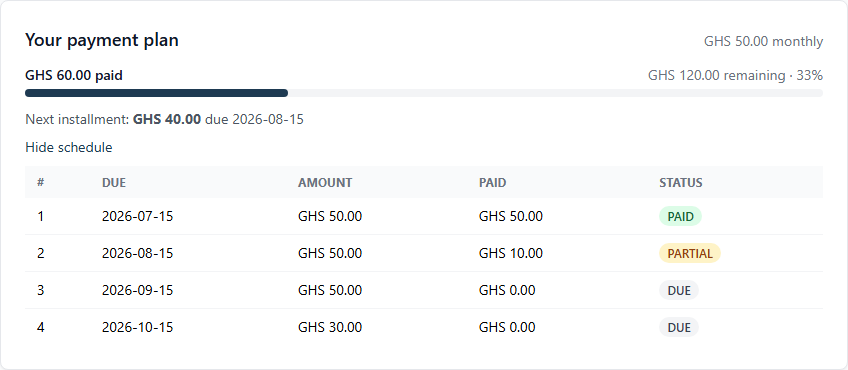
A member on an active plan sees it on their portal dashboard: progress, the next installment and its due date, and the full schedule — so the agreement is visible to both sides without anyone printing anything.
Editing, cancelling, completing
While a plan is active you can edit its terms (the schedule regenerates), cancel it (the member returns to normal overdue reminders), or mark it complete. Completed and cancelled plans stay on the member's record for history.