Users & roles
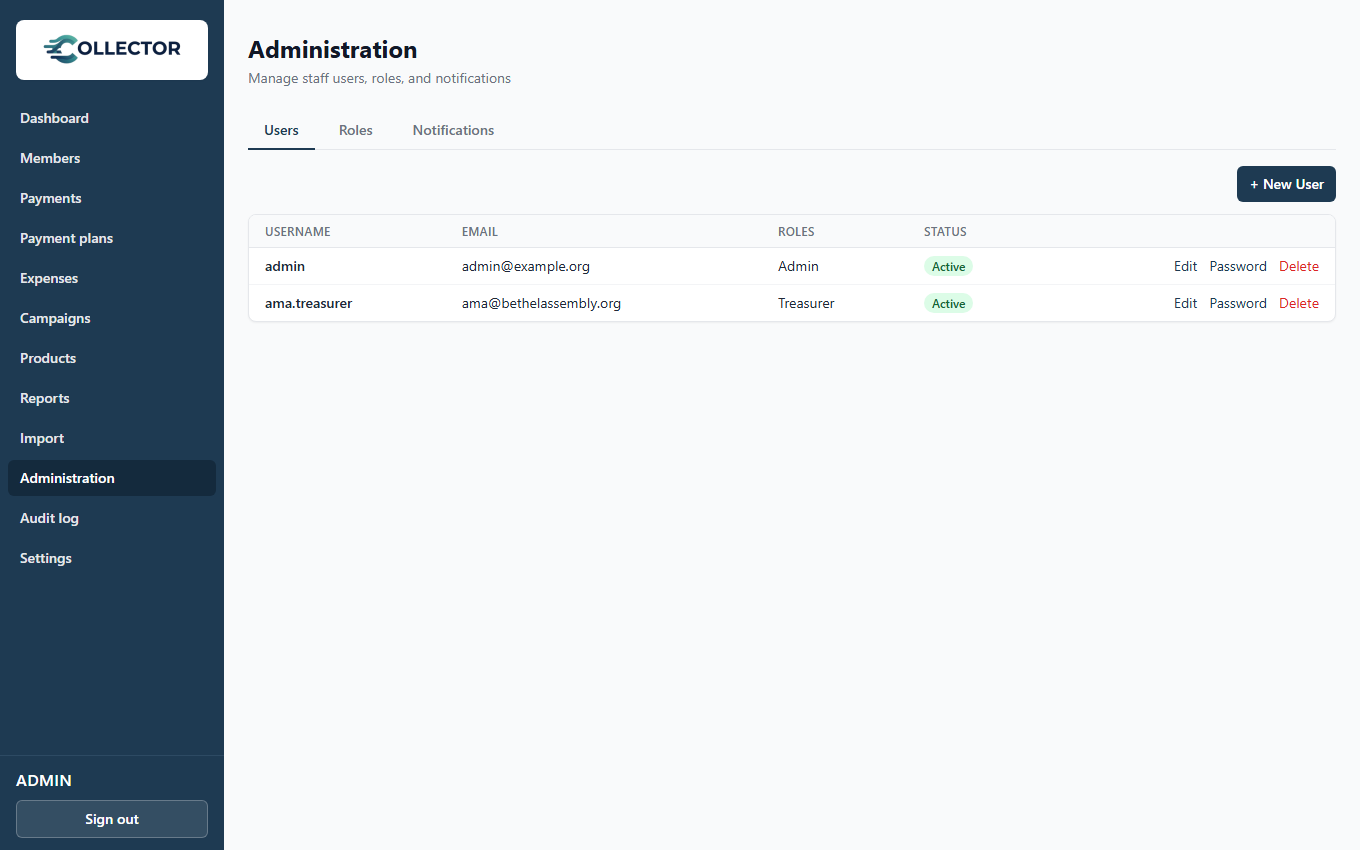
Collector uses configurable role-based access control: you build roles from a catalog of granular permissions, then assign roles to staff users. Treasurers, secretaries, and data clerks each see exactly what their job needs — no more, no less.
How it fits together
- Permission — a single capability from a fixed catalog (e.g. view members, record payments, manage products, generate reports).
- Role — a named bundle of permissions that you create. Examples: Treasurer, Secretary, Data clerk, Auditor (view-only).
- User — a staff login, assigned one or more roles. A user's abilities are the union of all their roles' permissions.
A default Admin role with every permission, plus the initial admin user, are created when the system is first set up.
The permission catalog
| Area | Permissions |
|---|---|
| Members | view, create, edit, delete |
| Products | manage products, manage payment rules |
| Payments | record, view |
| Obligations | view |
| Reports | generate, view |
| Notifications | configure, send |
| Administration | manage roles, manage users, organization settings |
Creating a role
Under Admin → Roles:
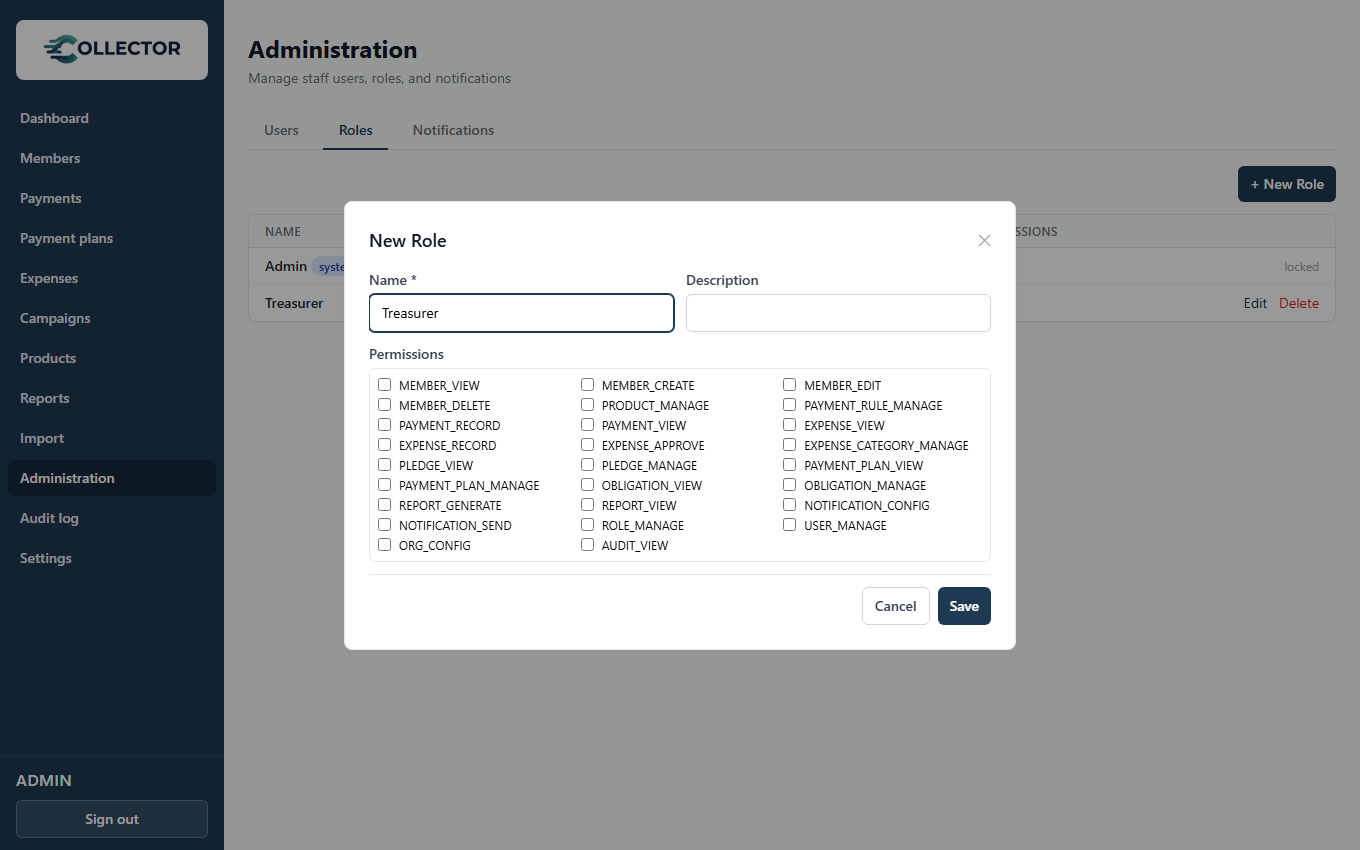
- New role, give it a name that matches the job (Treasurer).
- Tick the permissions the job needs.
- Save — the role is immediately assignable.
Suggested starting roles
| Role | Permissions to include |
|---|---|
| Treasurer | Members view · Payments record/view · Obligations view · Reports generate/view |
| Secretary | Members view/create/edit · Obligations view |
| Data clerk | Members view · Payments record |
| Auditor | View-only: members, payments, obligations, reports |
Creating a user
Under Admin → Users:
- New user — username, name, email, initial password.
- Assign one or more roles.
- Share the credentials; the user should change their password at first sign-in (from their user page).
Deactivate users who leave rather than deleting them — their name stays attached to the payments they recorded, keeping the audit trail intact.
Everything is audited
Every payment records who recorded it; configuration changes record who made them and when. Combined with numbered receipts, this is your accountability story for the annual audit: any figure in a report can be traced to who entered it and when.
Resist giving everyone the Admin role for convenience. The audit trail is far more useful when record payments belongs to two named treasurers than when ten people share full access.