Organization settings
The Settings page holds your organization-wide configuration. Everything here applies across the whole system — receipts, reports, reminders, and the member portal. You need the organization settings permission to change it.
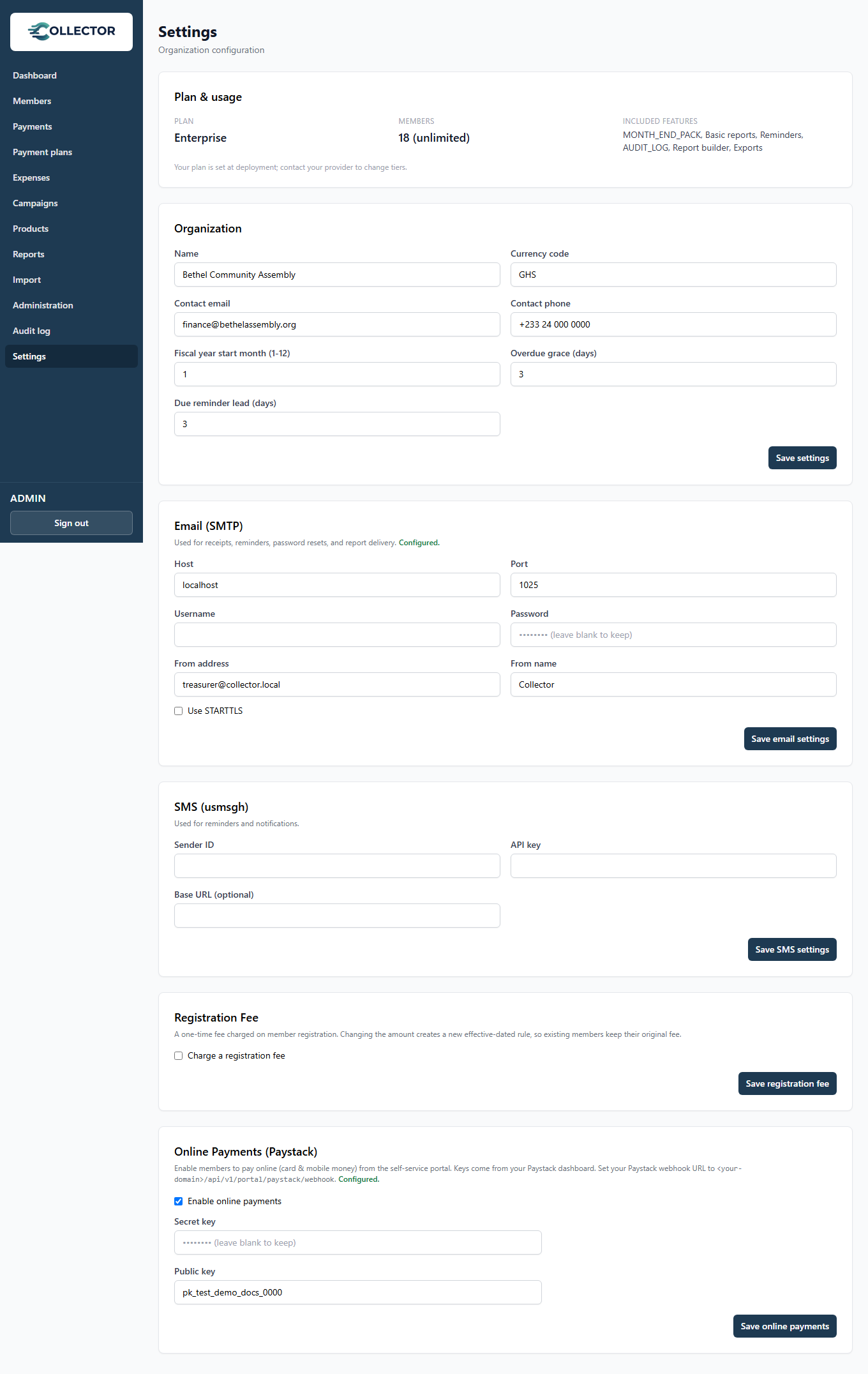
Organization
| Setting | What it drives |
|---|---|
| Name | Appears on receipts, reports, and in message templates ({{orgName}}) |
| Currency code | e.g. GHS, NGN, USD — formats every amount in the system |
| Contact email / phone | Shown to members on documents and messages |
| Fiscal year start month | The 12-month window annual reports cover (1 = January; 9 = a September–August year) |
| Overdue grace (days) | How long after a due date an unpaid obligation waits before being marked overdue |
| Due reminder lead (days) | How many days before a due date members get a reminder |
Email (SMTP)
Collector sends receipts, reminders, reports, and password-reset links through your email account. Enter your SMTP host, port, username, password, and the from-address/name.
Any mail provider with SMTP works (e.g. a Google Workspace or Zoho account, or a transactional service). Use a from-address on your own domain so members recognize the sender.
Several features quietly depend on email: PDF receipts, emailed reports, member-portal password resets, and email reminders. If emails aren't arriving, this is the first place to check.
SMS (usmsgh)
For SMS reminders and confirmations, enter your usmsgh credentials and a Sender ID (the name that appears on the member's phone). You pay your SMS provider directly at their rates — Collector adds no markup.
Registration fee
An optional one-time fee charged when a member registers:
- Toggle it on or off. When off, registration creates no fee obligation.
- Amount — setting a new amount takes effect for members who register from now on. Existing members keep the fee that applied when they joined (a member who registered when the fee was 50 still owes 50, even after you raise it to 80).
Under the hood the fee is a built-in one-time product, so it flows through payments, receipts, statements, and reports like everything else.
Online payments (Paystack)
To let members pay by card and mobile money from the portal:
-
Enter your Paystack secret key and public key.
-
In the Paystack dashboard, set the webhook URL to:
https://<your-collector-address>/api/v1/portal/paystack/webhook
Payments are verified server-side with Paystack before they count — see The member portal.
Plan & usage
Shows your current subscription tier and member usage against your plan's member limit. Some analytical report sections and SMS reminders are plan-dependent — the page shows what your tier includes.