Campaigns & pledges
Building funds, harvest appeals, anniversary levies — fundraising drives where members pledge an amount and pay it off over time. The Campaigns page tracks the drive's progress and every member's fulfillment.
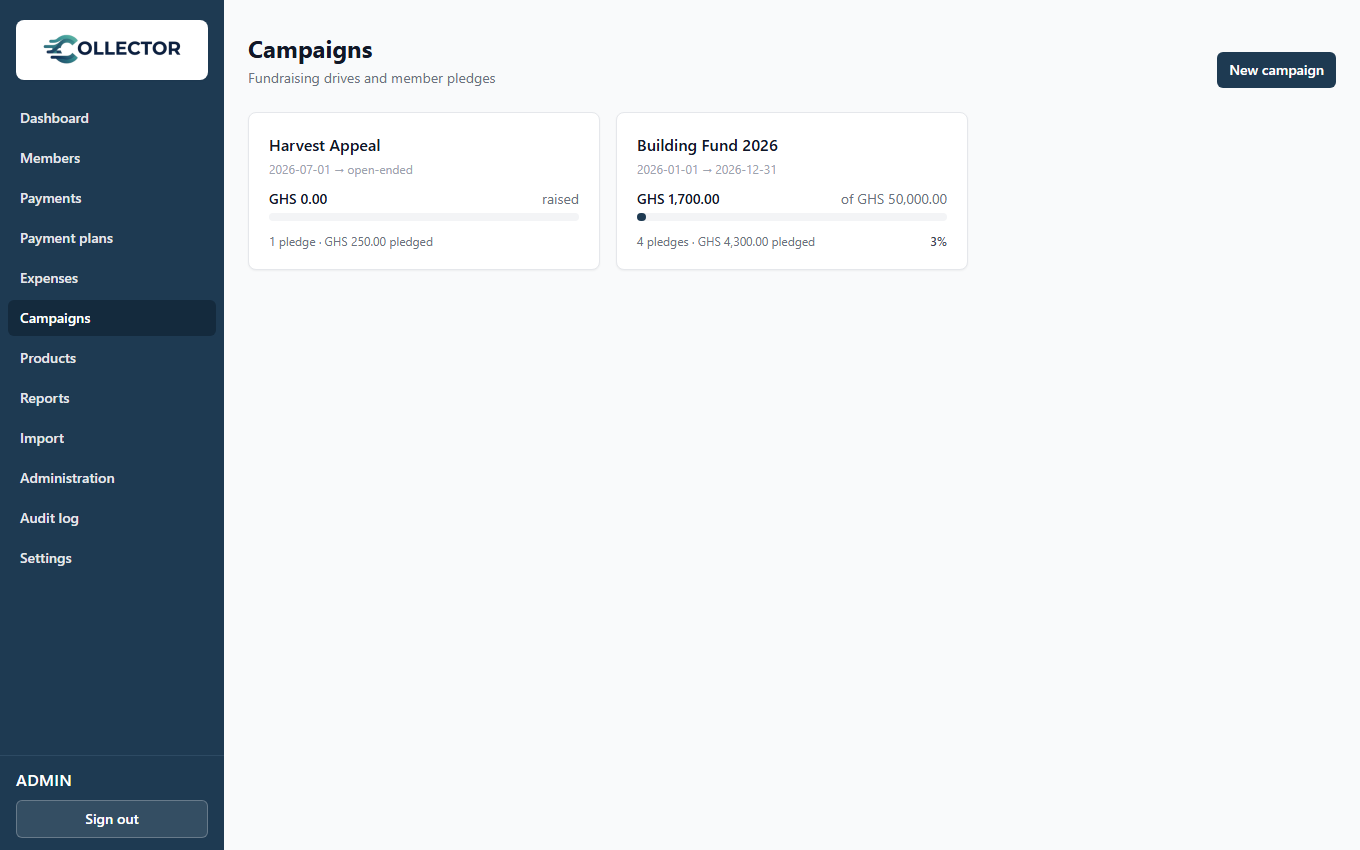
Creating a campaign
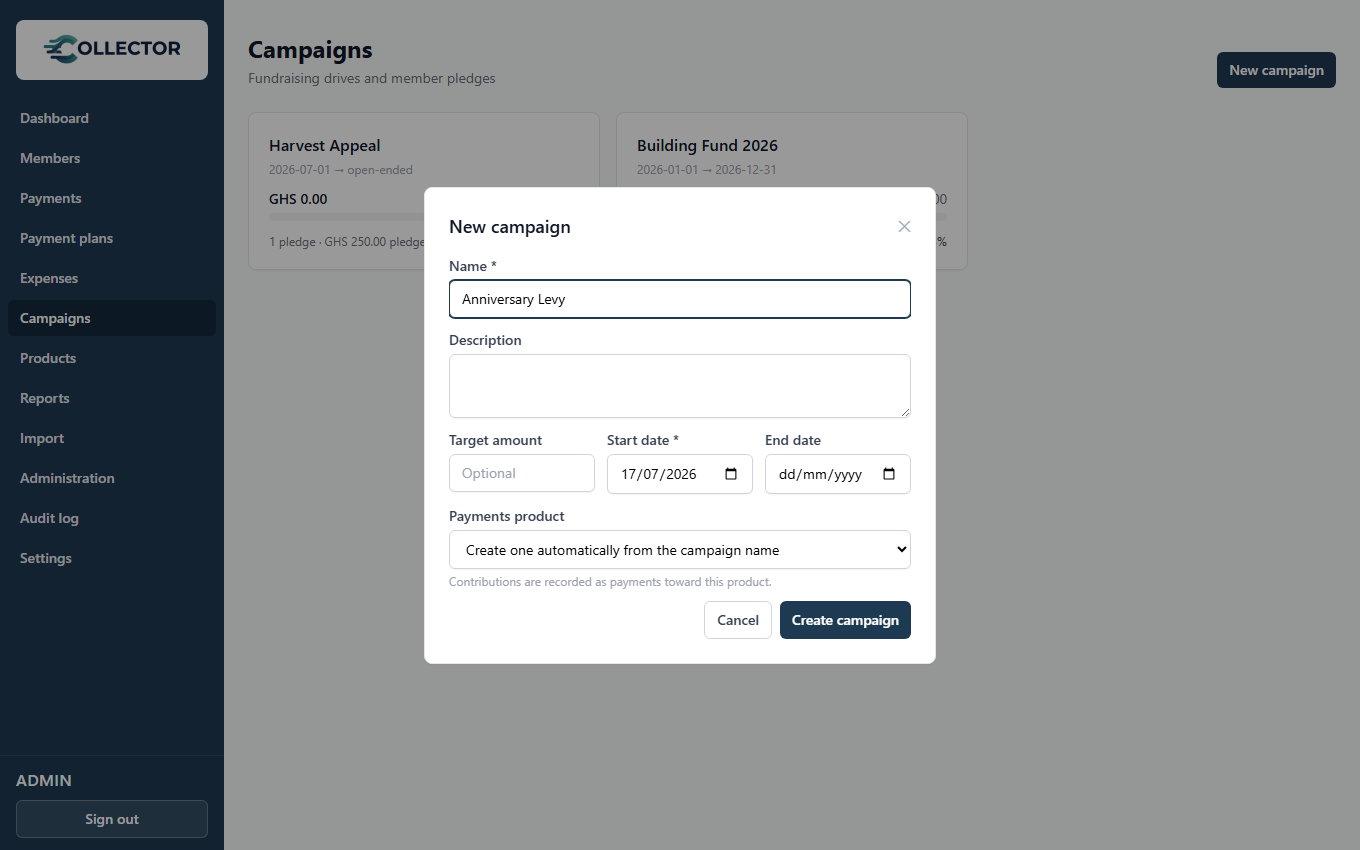
From Campaigns → New campaign:
- Name and optional description.
- Target amount — the fundraising goal (optional; leave blank for an open-ended appeal).
- Start / end dates — only payments dated inside this window count toward the campaign. Leave the end date blank for an open-ended campaign.
- Payments product — contributions are recorded as payments toward an optional product. Leave the default and one is created automatically from the campaign name.
Because a campaign is backed by a normal product, everything you already know applies: record cash and mobile-money contributions from the Payments page (targeting the campaign's product), members pay online from the portal, and every contribution gets a numbered receipt.
Pledges
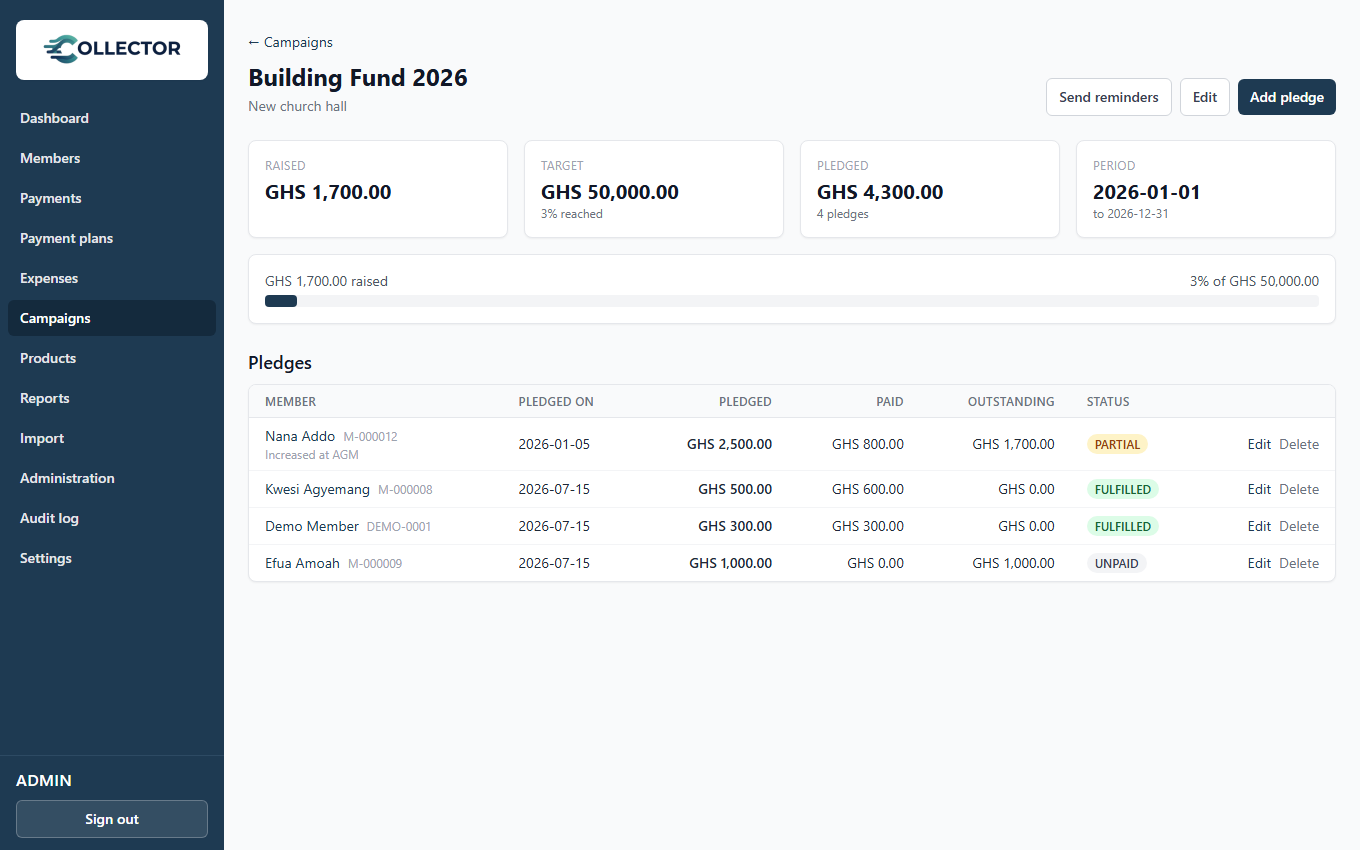
Open a campaign to see its pledge register: each member's pledged amount, what they've actually paid, the outstanding balance, and a status — Fulfilled, Partial, or Unpaid.
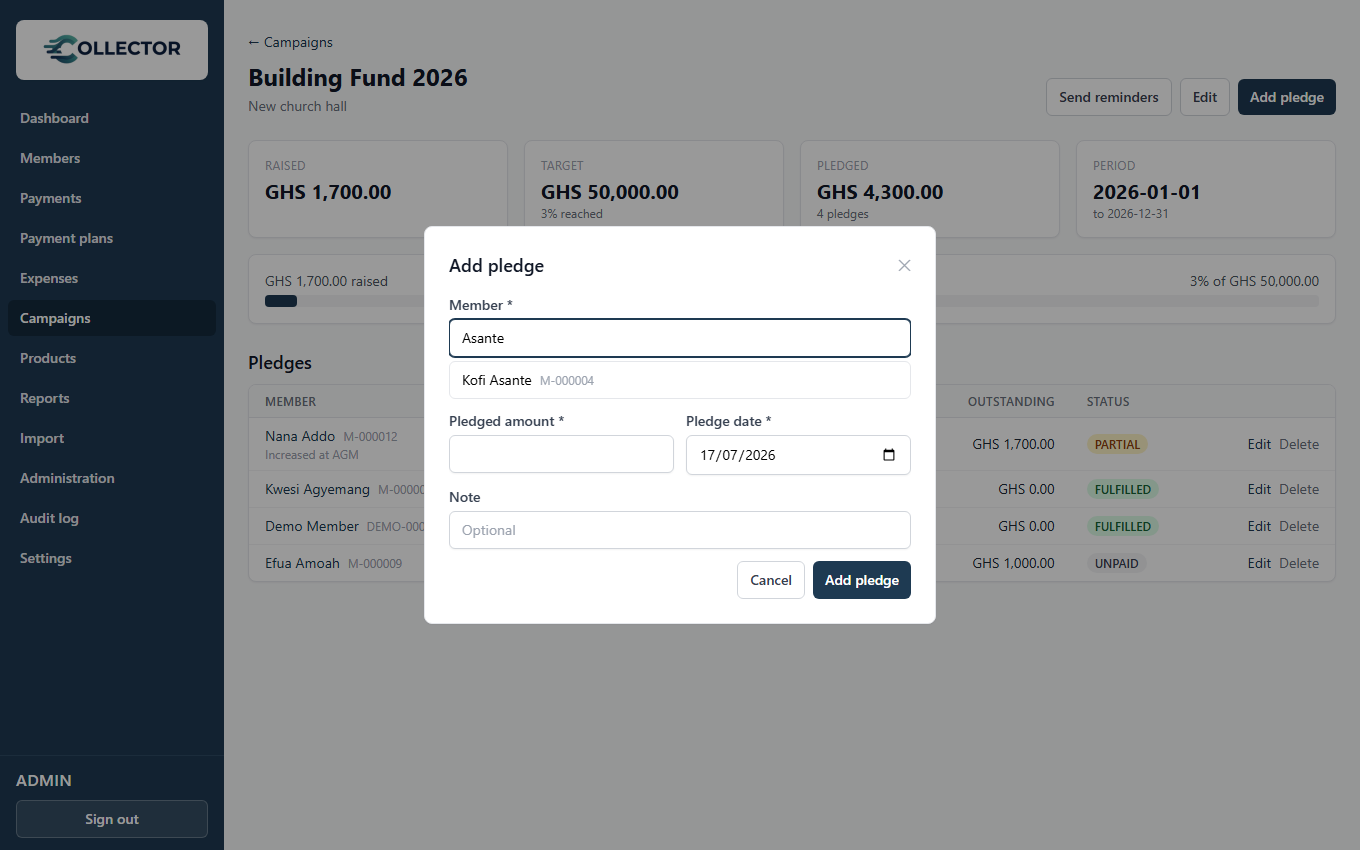
Add a pledge with Add pledge — search for the member, enter the amount and date, and an optional note. One pledge per member per campaign; edit it if the member increases their commitment.
Fulfillment is computed from the member's payments toward the campaign's product — there is nothing to reconcile manually. A member who overpays their pledge simply shows as fulfilled; contributions from members who never pledged still count toward the campaign's raised total.
Pledge reminders
Members with an unfulfilled pledge can be nudged over SMS and email:
- Automatically — a monthly sweep (the 5th at 09:00 by default) reminds every unfulfilled pledger on running campaigns. Requires a plan with the Reminders feature.
- Manually — the Send reminders button on the campaign page sends immediately and tells you how many went out.
The message template is editable under Administration → Notifications
(event Pledge reminder), with placeholders for {{campaign}},
{{pledgedAmount}}, {{paidAmount}}, and {{outstandingAmount}}. Members
whose pledges are fulfilled are never dunned.
Campaigns in the member portal
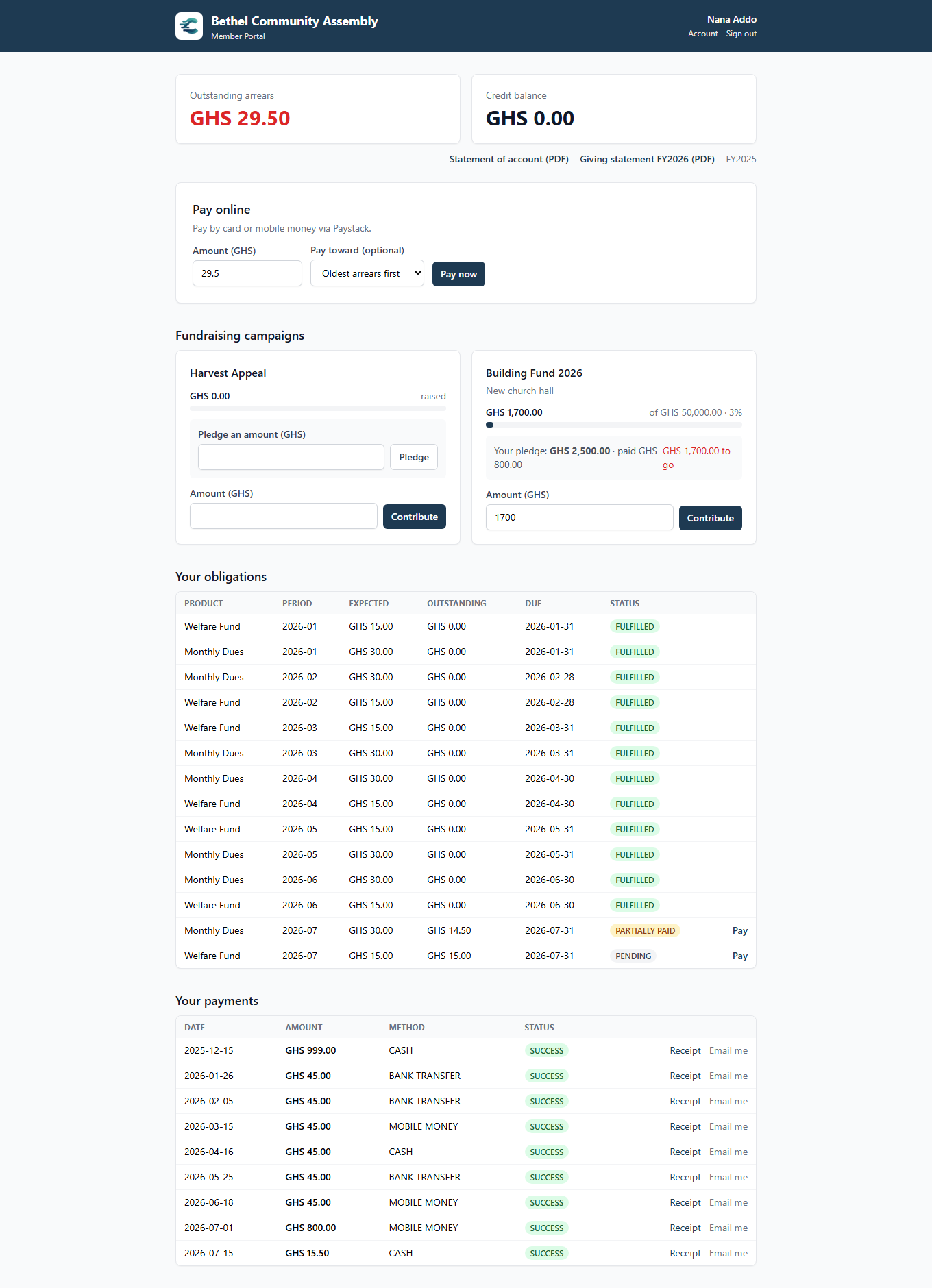
Members see running campaigns on their portal dashboard — overall progress, their own pledge status, and (when online payments are enabled) a Contribute button pre-filled with their outstanding balance. Members who haven't pledged yet can pledge directly from the portal; the pledge lands in the campaign's pledge register like any staff-entered one.
Campaigns in reports
The report builder has a Fundraising Campaigns section: every campaign overlapping the report period with its target, total pledged, total raised, percent of target, and how many pledges are fulfilled — ready for the AGM pack.