Recording payments
Most organizations collect money in several ways at once — cash at meetings, bank transfers, mobile money to the treasurer's line, and (optionally) online through the member portal. Collector records them all in one place.
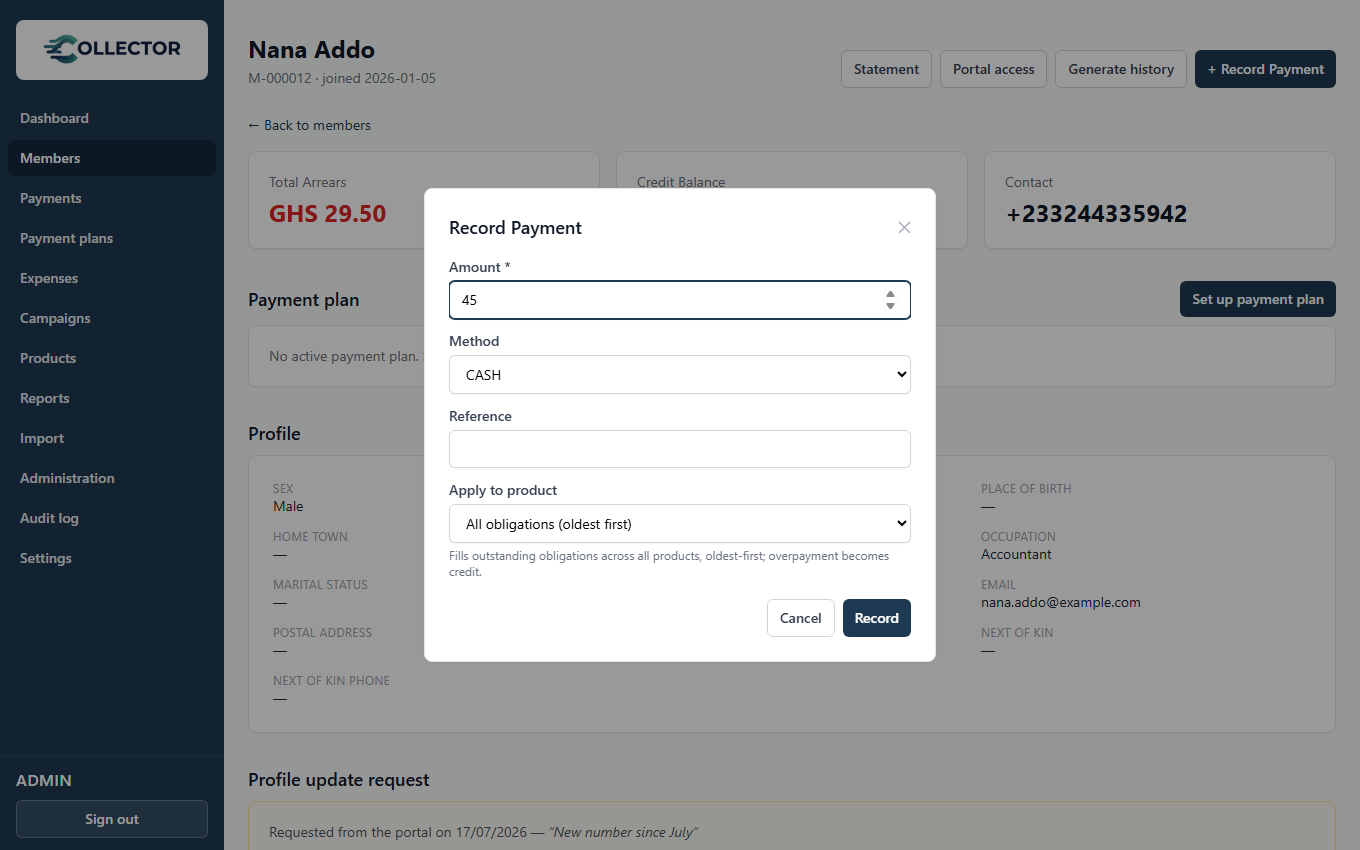
Recording an offline payment
From Payments → Record payment, or from a member's page:
- Member — who paid.
- Amount and date — when the money was actually received (you can backdate).
- Method — cash, bank transfer, or mobile money.
- Reference — optional; a transfer reference or receipt-book number.
On save, the payment is final (status Success) and the side-effects run immediately:
- The allocation engine applies the money to the member's outstanding obligations, oldest first.
- A numbered PDF receipt is generated and emailed to the member (when SMTP is configured).
- A payment confirmation SMS/email goes out if that notification event is enabled.
- The payment is stamped with who recorded it — part of the audit trail.
How allocation works
You never choose which month a payment applies to — the engine does, and it's always oldest debt first:
| Scenario | What happens |
|---|---|
| Member owes Jan + Feb, pays one month's amount | January is fulfilled; February stays pending |
| Member owes Jan, pays half | January becomes partially paid |
| Member owes nothing, pays anyway | The full amount parks as credit |
| Member owes Jan, pays three months' worth | Jan fulfilled; the rest parks as credit and auto-fills Feb and Mar as they're generated |
Credit needs no management: the next obligation generated for that member consumes it automatically.
Members who like to pay a year of dues in January "just work" — record one payment for the full amount, and each month's obligation is fulfilled from credit as it's generated.
Online payments (Paystack)
Members can pay by card or mobile money from the member portal. Online payments follow a stricter path:
- The member initiates payment in the portal → a pending payment is created.
- Paystack processes the charge.
- Collector verifies the payment server-side with Paystack — it never trusts the browser's word for it.
- Only on verified success does the payment flip to Success — and from there it behaves exactly like an offline payment: same allocation, same receipt, same notifications.
Duplicate webhooks or refresh-happy members can't double-count a payment — confirmation is idempotent.
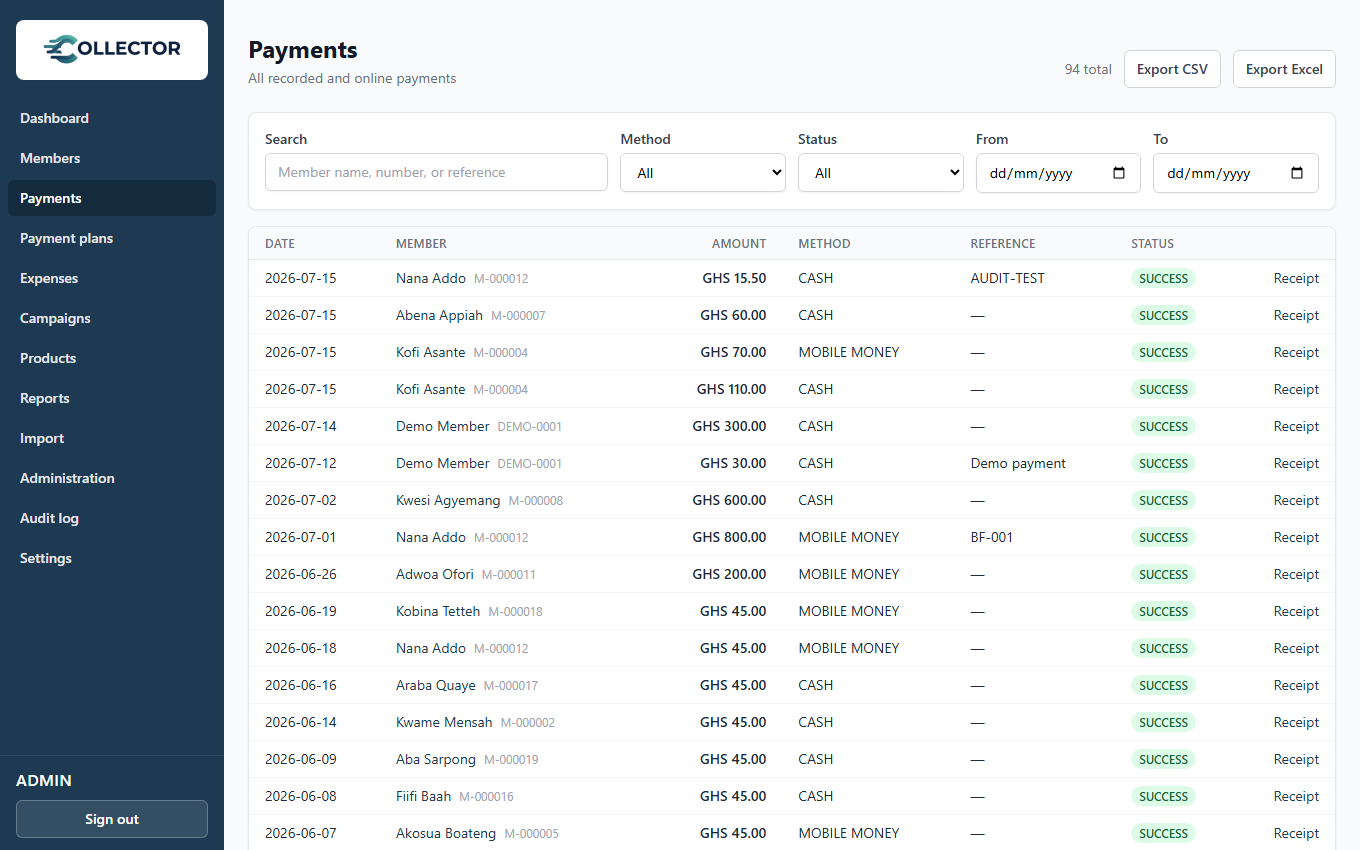
Viewing payments
The Payments page lists all recorded payments with member, amount, date, method, and who recorded it. Each member's page shows their own payment history, and every payment links to its receipt.