Products & payment rules
Products define what members pay for; payment rules define how much and how often. Getting these right is the foundation of your billing.
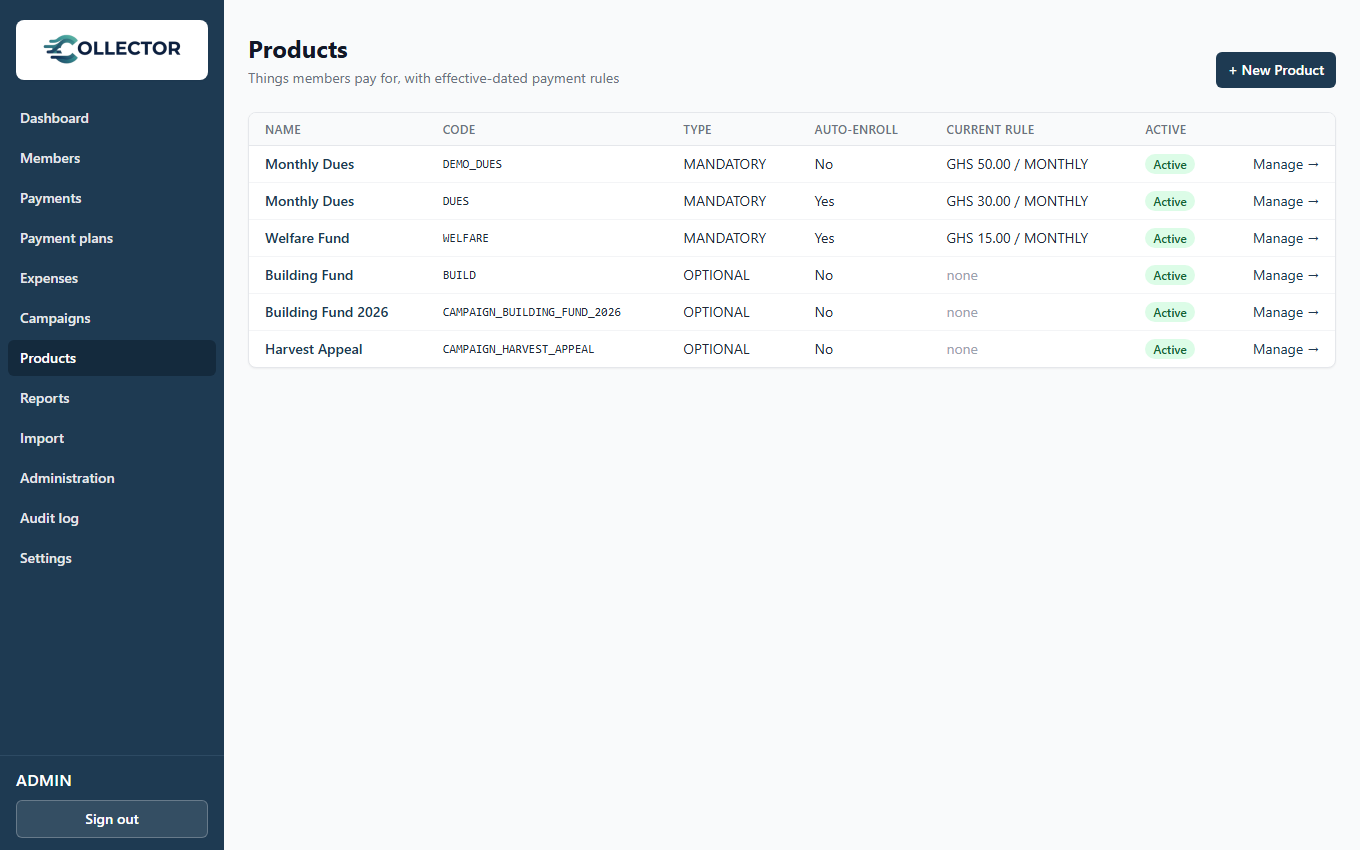
Creating a product
Go to Products → New product:
| Field | What it means |
|---|---|
| Name / code | e.g. Monthly Dues / DUES — the code appears in imports and reports |
| Obligation type | Mandatory: obligations generated, arrears tracked. Optional: ad-hoc contributions only |
| Auto-enroll | Enroll all current members now, and every future member at registration |
| Active | Inactive products stop generating obligations and accepting enrollments |
Mandatory vs. optional — choosing right
- Use Mandatory when members owe the amount and you want arrears tracked: dues, welfare, levies.
- Use Optional for voluntary giving where nobody is "behind": offerings, donations, special appeals. Payments against an optional product are recorded and reported, but nothing is expected of anyone.
Payment rules
A payment rule sets the amount, the frequency (monthly, quarterly,
annually, one-time), and the period it applies (effective from →
effective to, open-ended if current).
When Collector generates an obligation, it uses the rule that is active on that date — and the obligation snapshots that amount permanently.
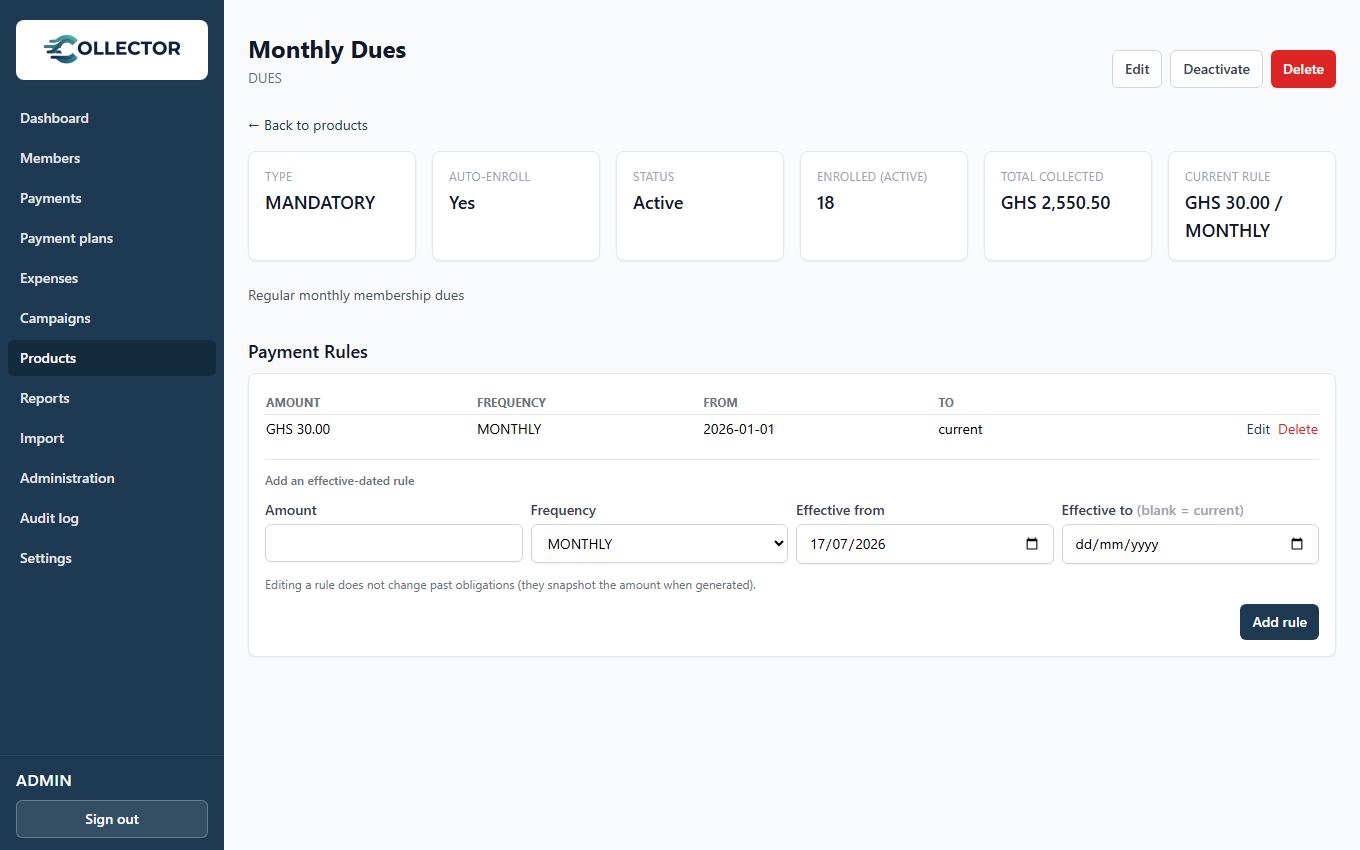
Changing an amount
To raise Monthly Dues from GHS 20 to GHS 25 starting January:
- Open the product's page.
- Add a new rule: GHS 25, monthly, effective from 1 January.
- The old rule automatically ends when the new one begins.
Nothing about past months changes — December's obligations stay GHS 20, and a member's arrears from last year are still owed at last year's rate. You never edit an old rule to change history.
Effective-dated rules are what make your reports trustworthy across years. The system can always answer "what did dues cost in March 2025?" because the answer is stored, not recalculated.
One-time rules
A one-time rule generates its obligation once, on a triggering event, never on a period rollover. The built-in registration fee works this way: it's charged once when a member registers. See Organization settings.
How obligations are generated
For mandatory products, obligations appear automatically in two ways:
- Period rollover — at each period boundary (e.g. the 1st of the month for monthly products), a scheduled job generates the new period's obligation for every enrolled, active member. Any parked member credit is consumed immediately.
- On registration / enrollment — a member who joins or enrolls mid-period receives the current period's obligation right away.
You don't run anything by hand — the schedule takes care of it.