Expenses & cashbook
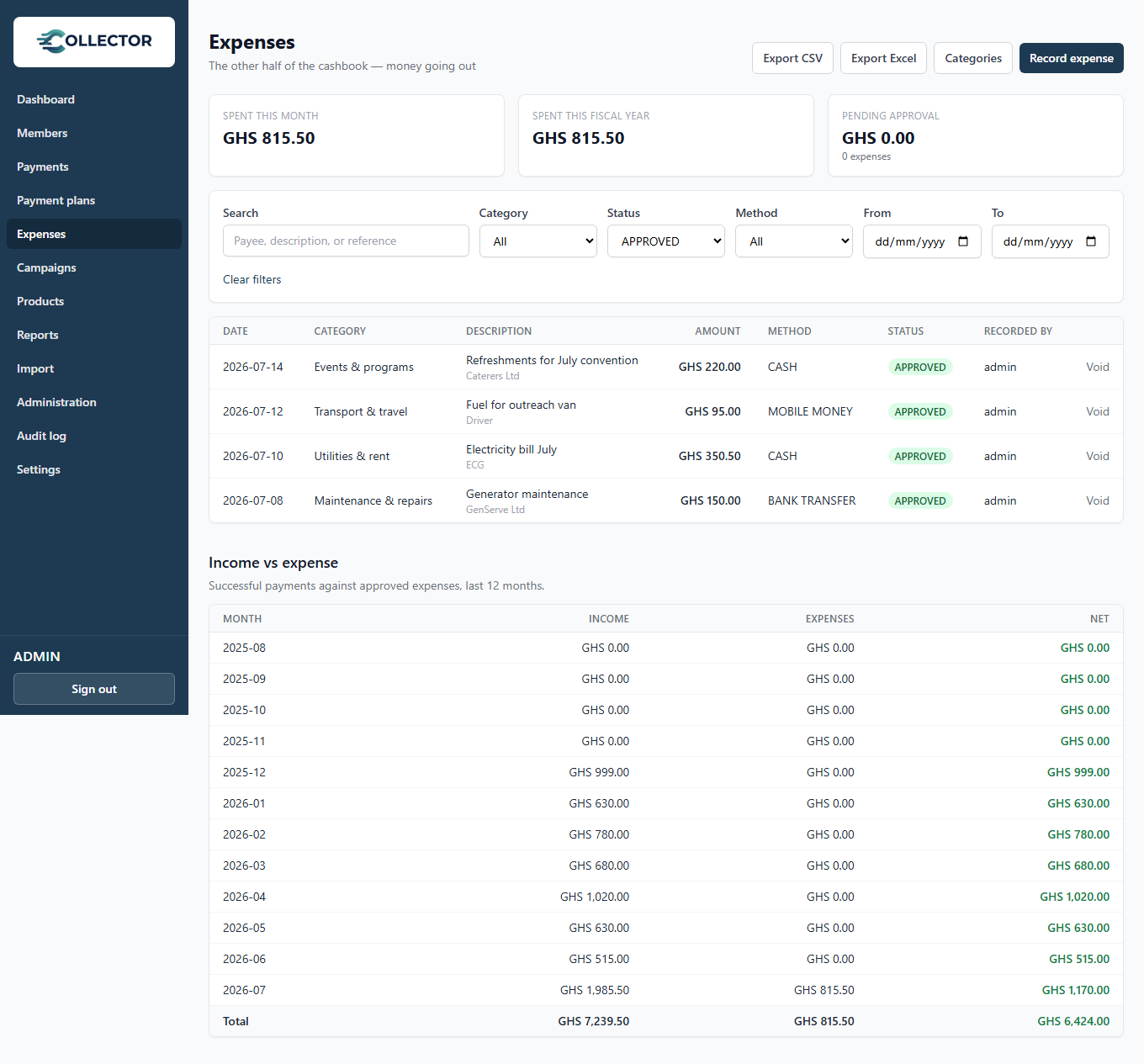
Collections are only half a treasurer's book. The Expenses page records money going out — utilities, welfare payouts, event costs — and puts income and expenditure side by side so the cashbook is always up to date.
Recording an expense
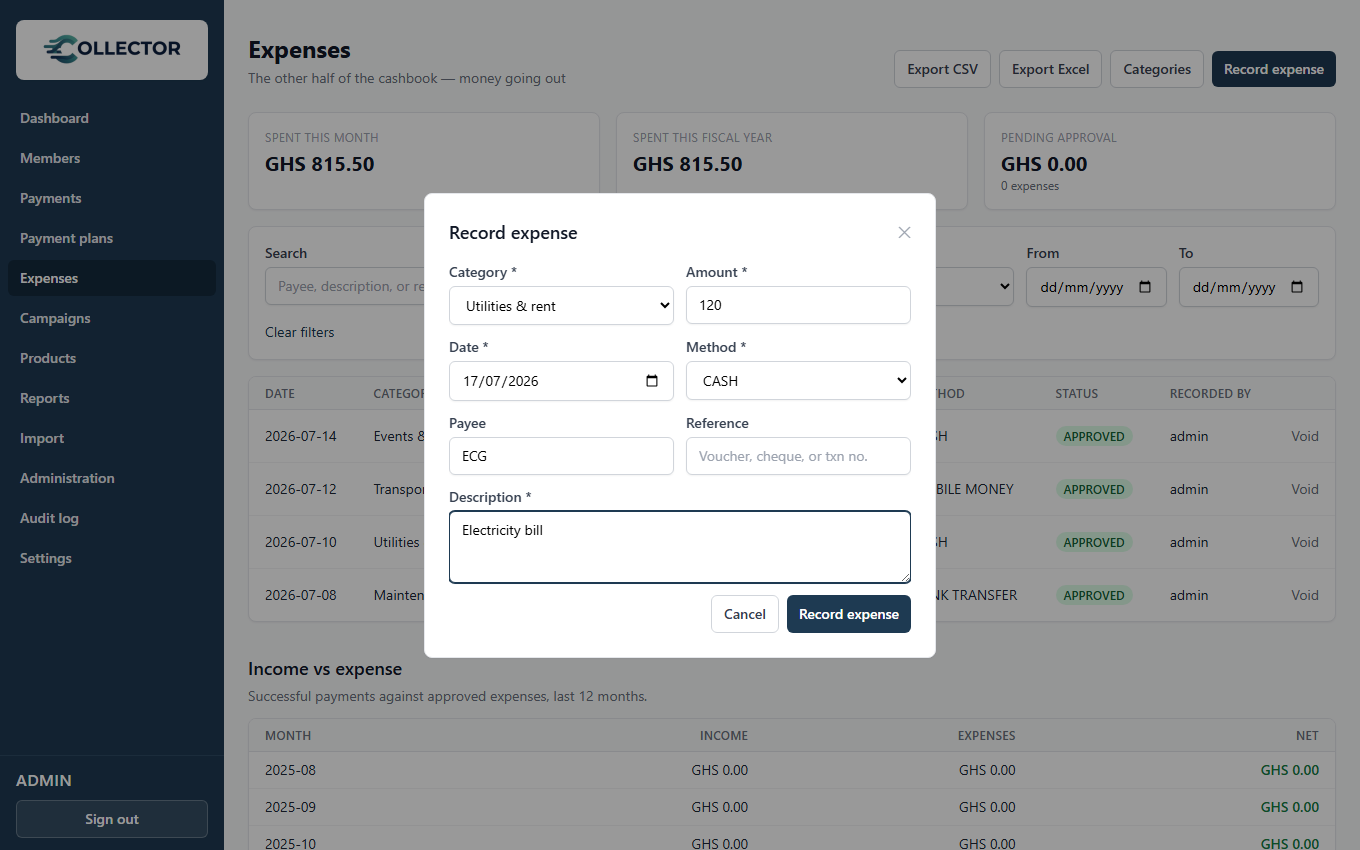
From Expenses → Record expense:
- Category — pick from your organization's expense categories.
- Amount, date, and method (cash, bank transfer, or mobile money).
- Payee — who was paid (vendor, member, supplier).
- Description — what the money was for (required).
- Reference — optional voucher, cheque, or transaction number.
The approval workflow
Every expense has a status:
| Status | Meaning |
|---|---|
| Pending | Awaiting approval — editable and deletable, excluded from totals |
| Approved | In the books — immutable; counts toward all totals |
| Rejected | Declined by an approver — never counts |
| Void | An approved expense that was cancelled — stays on record, excluded from totals |
Who can do what is controlled by permissions:
- Expense record — record and edit pending expenses.
- Expense approve — approve, reject, or void. If the person recording also holds this permission, their expenses are approved instantly (no second click for a one-person treasury). Otherwise the expense waits as Pending for an approver — a simple dual-control setup: clerks record, the treasurer approves.
Approved expenses can never be edited or deleted — mistakes are voided instead, which keeps the audit trail intact.
Categories
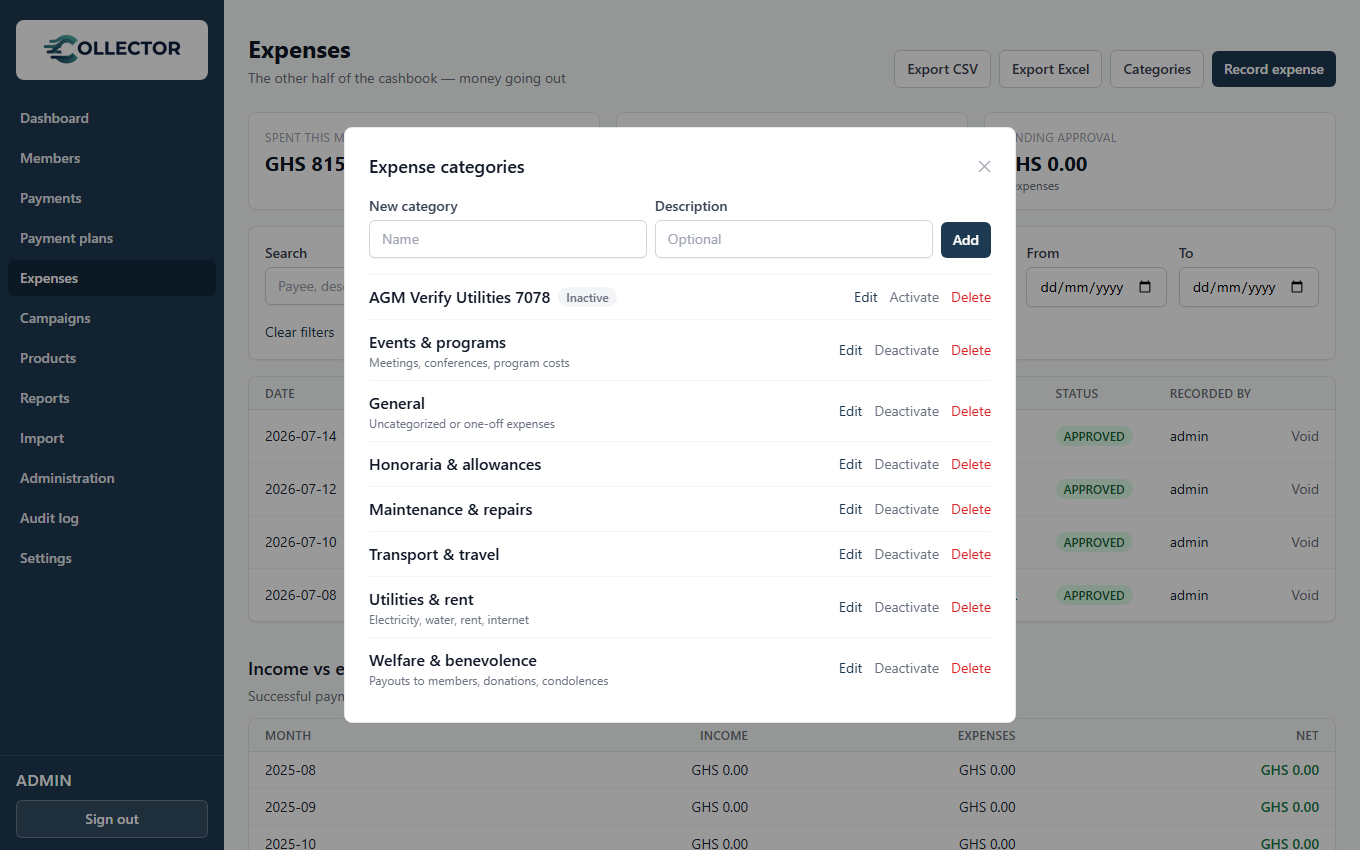
Manage categories from Expenses → Categories. Categories in use by recorded expenses can't be deleted — they are deactivated instead, so history keeps its labels. A starter set (utilities, welfare, events, transport, …) is created for you; rename or deactivate freely.
Income vs expense
The bottom of the Expenses page shows the last 12 months of income (successful payments) against approved expenses, with a net figure per month and a total — the month-end cashbook view, always current.
Expenses also export to CSV/Excel with the same filters as the list (plans with the Exports feature).